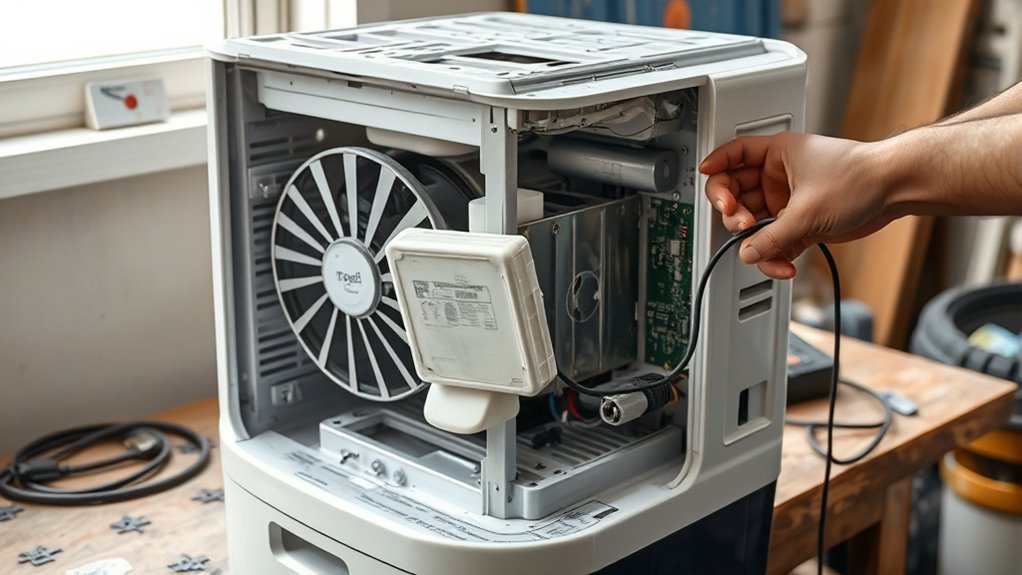
Are dehumidifiers repairable? Yes, many are. Common problems such as a stuck bucket float, dirty filter, blocked airflow, drainage problem, or wrong humidity setting can often be fixed at home. The important part is knowing where safe troubleshooting ends: compressor, refrigerant, capacitor, and internal electrical faults usually call for qualified service or replacement.
Key Takeaways
- A false “bucket full” warning can come from a stuck float or a bucket that is not seated correctly.
- Poor water removal may be caused by a dirty filter, blocked airflow, low room temperature, incorrect humidity setting, or drainage problem—not necessarily a failed compressor.
- Check the model number and product recalls before spending money on an older or unfamiliar dehumidifier.
- Do not open the refrigerant circuit or casually work on capacitors, burned wiring, or other hazardous electrical components.
- Compare repair cost, warranty coverage, parts availability, reliability, and efficiency before deciding to repair or replace the unit.
At a Glance
| Time Required | About 10–30 minutes for basic external troubleshooting |
| Difficulty | Easy for cleaning, bucket, settings, airflow, and drainage checks; advanced for internal electrical or refrigeration work |
| Tools Needed | Flashlight, soft brush or vacuum, clean cloth, user manual, and preferably a separate hygrometer |
| Cost | Often $0 for cleaning, reseating, or settings checks; replacement parts and professional service vary by model |
Are Dehumidifiers Repairable?
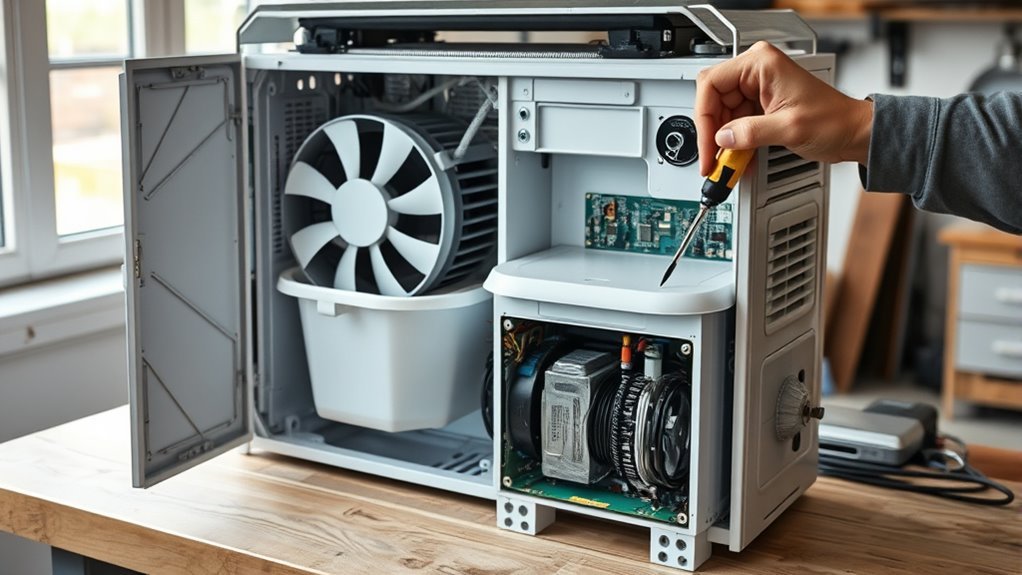
Yes. Many dehumidifier faults are repairable, but repairability depends on the symptom, model design, warranty status, parts availability, and whether the problem involves the sealed refrigeration system. Simple faults such as a stuck bucket float, clogged filter, blocked drain hose, or poorly seated bucket can sometimes be corrected without replacing the machine. For a step-by-step walkthrough, see our guide on how to repair a dehumidifier.
Start with the least invasive checks. Confirm the outlet works, the bucket is installed correctly, the filter and air openings are clean, the humidity setting is below the room’s current humidity, and the room is warm enough for the unit to operate normally. ENERGY STAR notes that frost may form on dehumidifier coils when room temperature falls below about 65°F, reducing moisture-removal performance and causing compressor cycling. ENERGY STAR’s dehumidifier guidance also recommends maintaining clear airflow and following manufacturer electrical-safety instructions.
Warning: Unplug the dehumidifier before removing the bucket, filter, grille, or any manufacturer-approved service cover. Do not cut refrigerant lines, vent refrigerant, bypass safety switches, or touch a capacitor or damaged internal wiring unless you are qualified to perform that work. EPA rules prohibit intentional venting of regulated refrigerants and their substitutes during appliance service.
Before Troubleshooting: Check Safety and Recalls
Find the model and serial number before doing more than basic cleaning or adjustment. Some dehumidifiers have been recalled because they can overheat or catch fire. Check the U.S. Consumer Product Safety Commission dehumidifier recall information and the manufacturer’s support page. If your model is recalled, follow the recall remedy instead of attempting an unrelated DIY repair.
Also inspect the cord, plug, and housing. Stop using the unit if you see melted plastic, scorch marks, a damaged cord, smoke, repeated breaker trips, or a burning smell. Those symptoms require immediate attention rather than continued testing.
Common Dehumidifier Problems to Check First
Start with the symptom rather than guessing which component failed. A full-bucket warning, weak airflow, icing, poor water collection, and a completely dead unit point toward different checks. The table below helps narrow the problem before you buy parts.
| Symptom | Check First | Possible Next Step |
| “Bucket Full” with empty bucket | Bucket seating and float movement | Follow model-specific float/sensor instructions or request service |
| Runs but removes little water | Humidity setting, room temperature, filter, airflow, doors/windows | Compare room RH with a separate hygrometer |
| Coils ice up | Room temperature and airflow | Turn the unit off, let it defrost, and verify its rated operating temperature |
| Water will not drain through hose | Hose slope, kinks, blockage, connection | Clean or reposition the hose according to the manual |
| Unit is completely dead | Outlet, plug, breaker, bucket position, controls | Professional diagnosis if external checks pass |
Float And Sensor Checks
If the dehumidifier says the bucket is full when it is empty, remove the bucket with the unit turned off and inspect how the float moves. A stuck float can keep the machine in its full-bucket shutdown state. LG’s current troubleshooting guidance specifically identifies a stuck bucket float as a likely cause when the bucket-full light remains on after emptying the tank. LG recommends checking that the float moves freely and warns against opening the float cover on models covered by its instructions.
Also make sure the bucket slides fully into position. Some units will not operate unless the bucket correctly engages a safety switch. Do not tape, hold, or bypass that switch.
If the displayed humidity seems wrong, place a separate hygrometer nearby and allow both readings time to stabilize. A small difference does not automatically prove a failed sensor because sensors may be positioned differently and respond at different speeds. A large, persistent difference may justify model-specific service.
Power And Fan Issues
Once the bucket and settings are ruled out, check the power path without opening hazardous internal sections. Confirm the outlet works with another appropriate device, check the circuit breaker, inspect the cord for damage, and make sure the controls are not locked or in a delay mode described in the owner’s manual.
- Dead unit: verify the outlet, plug, breaker, bucket position, and controls.
- Weak airflow: clean the filter and intake/exhaust openings.
- Fan does not appear to run: check the operating mode and manual before assuming the motor failed.
- Repeated breaker trip, arcing, smoke, or burning odor: unplug the unit and stop troubleshooting.
Do not assume that a fan that pauses is defective. Many dehumidifiers cycle components according to humidity settings, defrost control, temperature, or operating mode. Compare the behavior with the owner’s manual for your exact model.
Repair Or Replace Decisions
If external checks do not solve the problem, decide whether professional repair is worthwhile. A bucket mechanism, drain component, filter, accessible sensor assembly, or fan may be replaceable on some models. Compressor, refrigerant leaks, major control-board damage, or repeated electrical faults can make repair more expensive or less practical.
Instead of using a fixed age cutoff, compare:
- The manufacturer’s warranty status
- Whether the model is recalled
- Availability and price of the correct part
- Diagnostic and labor charges
- Whether the unit has had repeated failures
- Whether the cabinet, cord, coil, or drain system has additional damage
- The efficiency and capacity of a suitable replacement
ENERGY STAR states that certified dehumidifiers use about 20% less energy than similarly sized conventional models, so efficiency can be part of a repair-versus-replace decision.
Easy Dehumidifier Fixes You Can Try
The safest DIY fixes are the ones that do not require opening the sealed refrigeration system or working around energized electrical parts. Start with the bucket, float, filter, airflow, controls, placement, room temperature, and drainage.
Check The Float Assembly
Turn the unit off, unplug it, and remove the water bucket. Look for debris, mineral buildup, cracks, or a float that is jammed in the raised position. If your manufacturer’s instructions permit cleaning around the float, wipe away buildup and confirm that the float moves normally.
- Confirm the bucket is empty.
- Check that the float moves freely.
- Inspect the bucket for cracks or distortion.
- Reinstall the bucket fully and evenly.
If the float or its mounting is broken, look up the exact model before ordering anything. Parts that look alike can use different switch arrangements or mounting points.
Test Sensor And Fan
For the humidity sensor, the safest first test is comparison rather than disassembly. Place an external hygrometer near the dehumidifier, keep doors and windows closed, and compare the readings after they stabilize. ENERGY STAR recommends a separate hygrometer when a dehumidifier lacks a useful built-in RH display.
For the fan, unplug the unit and inspect accessible air openings for dust or obstructions. Clean the filter according to the manual. Do not reach through the grille or force the blades. If the fan makes grinding noises, will not start despite correct operating conditions, or overheats, professional diagnosis may be appropriate.
Pro Tip: Before ordering a humidity sensor, let the dehumidifier and a separate hygrometer sit in the same room long enough to stabilize. A temporary reading difference can come from sensor location, airflow, or response time rather than a failed component.
When the Bucket Sensor Fails
A portable dehumidifier normally stops when its collection bucket is full. ENERGY STAR notes that portable models typically use a warning light and automatic full-bucket shutoff. The problem begins when the unit continues to report “full” after the bucket has been emptied and correctly reinstalled.
- Check that the bucket is seated completely.
- Confirm the float is not stuck in the raised position.
- Look for dirt or damage around the float mechanism.
- Follow the manufacturer’s model-specific reset or troubleshooting procedure.
If those steps do not clear the warning, the float switch, sensor assembly, wiring, or control system may need diagnosis (see how to fix a dehumidifier sensor). Do not bypass the bucket safety system to force the dehumidifier to run.
Cheap Dehumidifier Repairs You Can Try
Some low-cost fixes require no replacement parts at all. Clean the filter, remove dust from accessible intake and exhaust areas, reseat the bucket, free a manufacturer-accessible stuck float, correct the humidity setting, reposition the unit for better airflow, or clean and straighten the drain hose.
If the machine still does not work, do not automatically move to capacitor or control-board replacement. Capacitors can retain an electrical charge after the unit is unplugged, and internal wiring work should be performed only by someone who understands the model’s service procedure and electrical hazards.
Likewise, a suspected refrigerant leak or compressor problem is not a routine DIY repair. EPA defines dehumidifiers as small refrigeration appliances and regulates servicing that could release refrigerant. EPA Section 608 guidance explains the rules that apply when refrigerant circuits are opened or serviced.
Recommended Products

BUY WITH CONFIDENCE Genuine AprilAire MERV 8 Replacement Filter for your AprilAire Whole Home Dehumidifier Models E080 or E100 or Dehumidifying Ventilator 8192A (and all variations of these models)
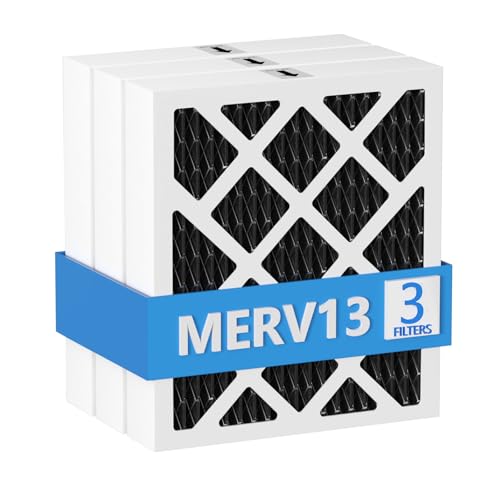
【Compatibility】 Our MERV 13 PN07126 Replacement Carbon Dehumidifier Filter Media is Compatible with Sanidry Sedona Dehumidifier PN07126 Replacement Filter.

【Compatibility】 Our 9 x 11 x 1 MERV 13 Replacement Dehumidifier Filter Media is Compatible with Santa Fe Compact70, Ultra70, Element, Compact2, UA 65H dehumidifier models.
Why a Dehumidifier Ices Up or Stops Collecting Water
Icing does not always mean the compressor is dying (our guide explains why dehumidifier coils freeze up). ENERGY STAR says frost can form on condensing coils when the surrounding temperature drops below about 65°F. Frost can reduce performance and make the compressor cycle without removing much moisture.
If you see ice:
- Turn the unit off and unplug it.
- Allow the ice to melt naturally.
- Clean the filter and make sure air openings are clear.
- Check the room temperature against the operating range in the manual.
- Restart the unit only after it is fully defrosted.
If heavy icing quickly returns while the room is within the manufacturer’s approved temperature range and airflow is clear, the unit may need service.
Dehumidifier Drainage Problems
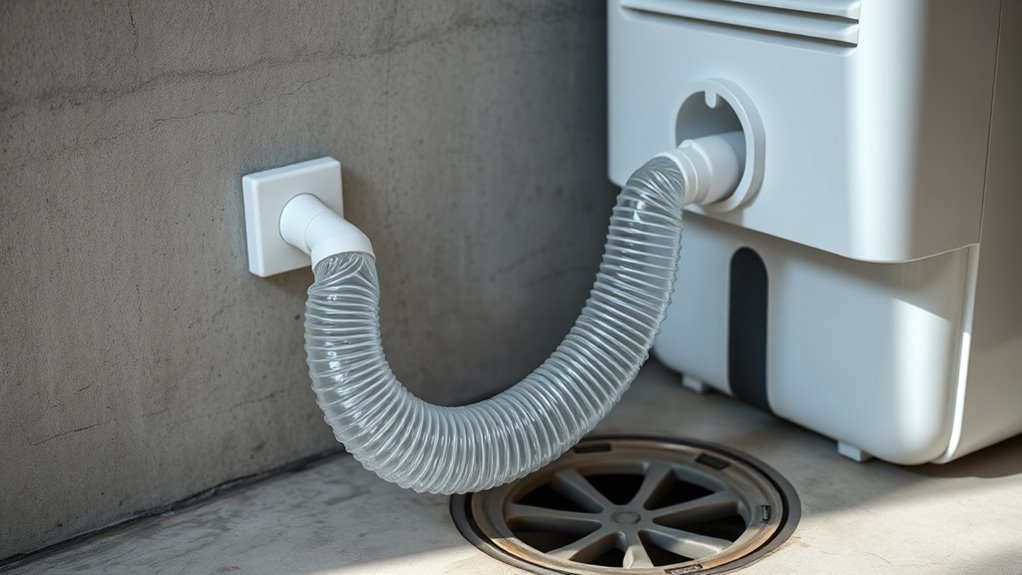
A continuous-drain setup can make a working dehumidifier look broken when the real problem is the hose. ENERGY STAR notes that many portable units can drain through a hose instead of the collection bucket.
For gravity drainage, check that the hose runs downhill from the unit without kinks, loops that trap water, or a raised outlet. Make sure the connection is secure and the hose is not clogged with debris. If the model uses a condensate pump, follow the pump’s own instructions because gravity-drain rules may not apply.
Note: Keep drain hoses and collected water away from electrical cords, outlets, and connections. ENERGY STAR specifically recommends using a properly grounded outlet and keeping drainage away from electrical circuits.
Signs Your Dehumidifier Is Dying
Repeated faults can indicate that a dehumidifier is becoming unreliable, but no single symptom proves the entire machine has failed. Look for patterns that remain after basic maintenance and operating conditions have been corrected.
Repeated electrical faults, fast-returning icing, persistent sensor errors, or loss of moisture removal after basic checks can justify professional diagnosis or replacement.
- Repeated shutdowns that are not caused by a full bucket or normal cycling
- Persistent “bucket full” errors after the bucket and float are checked
- Coils icing repeatedly in normal approved operating temperatures
- Water leaking from a sound bucket and correctly installed drain system
- Grinding, arcing, smoke, burning smells, or repeated breaker trips
- Little or no moisture removal despite high room humidity, clean airflow, and correct settings
Document what happens, including the room humidity, temperature, setting, error code, and whether the bucket collects water. That information makes manufacturer or technician support much more useful.
Repair or Replace Your Dehumidifier?
For a deeper cost comparison, read whether a dehumidifier is worth repairing or replacing. Repair can make sense when the problem is clearly identified, the correct part is available, the unit is not recalled, and the rest of the dehumidifier is in good condition. Replacement becomes more attractive when faults are recurring, parts are unavailable, the cabinet or cord is damaged, or a compressor/sealed-system repair would approach the value of a suitable new unit.
| Repair Is More Attractive When | Replacement Is More Attractive When |
| Problem is a bucket, float, filter, drain, or other accessible component | Compressor or sealed refrigeration circuit has failed |
| Correct parts are available | Parts are unavailable or discontinued |
| Unit remains under warranty | Multiple expensive faults are occurring |
| Repair cost is clearly lower than a suitable replacement | Repair cost approaches the price of a more efficient replacement |
Also confirm that the original dehumidifier is correctly sized for the space. A working but undersized unit may run constantly and still fail to control humidity. ENERGY STAR publishes current sizing guidance based on space size and moisture conditions.
Recommended Products

Dehumidifier Replacement Part 12120100002228
How to Check Your Dehumidifier Model
Find the model and serial number on the product label. Depending on the manufacturer, the label may be on the back, side, inside the bucket compartment, or another location described in the manual. Copy the entire code exactly, including letters, hyphens, and suffixes.
- Use the exact model number when searching for a manual.
- Check the manufacturer’s warranty and support pages.
- Check the CPSC recall database before repairing an older unit.
- Match replacement parts by model rather than appearance alone.
If the label is dusty, unplug the machine and clean the label gently rather than using aggressive solvents that could remove the printing. Correct identification prevents ordering an incompatible float, sensor, fan, board, or bucket.
Where to Get Dehumidifier Repair Help
Start with the manufacturer’s manual and support department. They can confirm error codes, approved parts, warranty coverage, and whether a repair procedure is intended for the owner or an authorized technician.
A qualified appliance or refrigeration technician is the better option for compressor faults, suspected refrigerant leaks, burned wiring, internal electrical failures, or diagnosis that requires opening protected components. For recalled equipment, follow the remedy provided by the manufacturer and CPSC rather than paying for unrelated repair work.
When requesting service, provide:
- Brand and exact model number
- Serial number if requested
- Error code or warning-light behavior
- Room temperature and humidity
- Whether the fan and compressor appear to operate
- Whether water reaches the bucket or drain
- What troubleshooting you already completed
Frequently Asked Questions
Is it worth repairing a dehumidifier?
It can be. Repair makes sense when the fault is clearly identified, the part is inexpensive and available, the unit is not recalled, and the rest of the machine is in good condition. Compare the quote with the price, efficiency, capacity, and warranty of a suitable replacement.
What is the average lifespan of a dehumidifier?
No single lifespan applies to every dehumidifier. Service life depends on build quality, operating hours, temperature, moisture load, cleaning, and parts availability, so judge an older unit by its condition, repair history, safety, and operating cost rather than a fixed age.
What is a common problem with a dehumidifier?
Common problems include a full-bucket warning, poor water collection, icing, blocked drainage, weak airflow, and inaccurate humidity readings. A stuck bucket float is one documented cause of a full-bucket light that stays on after emptying.
Why is my dehumidifier running but not collecting water?
Check the room humidity, the humidity setting, the filter, airflow, room temperature, and open doors or windows. If the room is already near the set humidity, low collection may be normal, and cold conditions can cause coil frost that reduces moisture removal.
Why does my dehumidifier say full when the bucket is empty?
Make sure the bucket is fully seated and its float moves freely. A stuck float can leave some models in full-bucket shutdown, so if the float and bucket look normal, follow the manufacturer’s model-specific steps or request service.
Can I repair a dehumidifier compressor or refrigerant leak myself?
No. Compressor, refrigerant, and capacitor work needs a qualified technician, and EPA rules prohibit intentionally venting refrigerant during service. In most cases replacement is the practical choice for a failed sealed system.
Conclusion
So, are dehumidifiers repairable? Often, yes. Start with safe checks such as the bucket, float, filter, humidity setting, airflow, room temperature, and drain system. A problem in one of those areas can look more serious than it really is. If the machine has a compressor, refrigerant, capacitor, burned-wiring, or recurring internal electrical fault, professional service or replacement is usually the safer path. Identify the exact model, check for recalls, compare repair and replacement costs, and never bypass a safety device simply to keep the machine running.
Sources
- ENERGY STAR — Dehumidifiers — humidity settings, sizing, operating temperature, full-bucket shutoff, drainage, placement, electrical safety, and energy efficiency.
- U.S. EPA — Care for Your Air — general indoor relative-humidity guidance and moisture control.
- U.S. EPA — Section 608 Definitions — dehumidifiers as small refrigeration appliances and refrigerant-service definitions.
- LG Support — Bucket Full Light Troubleshooting — model-aware guidance for a stuck bucket float.
- U.S. Consumer Product Safety Commission — Dehumidifier Recalls — recalled models and fire-hazard information.